Microsoft Dynamics 365 CE & Power Platform Developer Program
Become a job-ready Dynamics 365 developer: Power Apps, Power Automate, plug-ins, Custom APIs and CI/CD
Course Overview
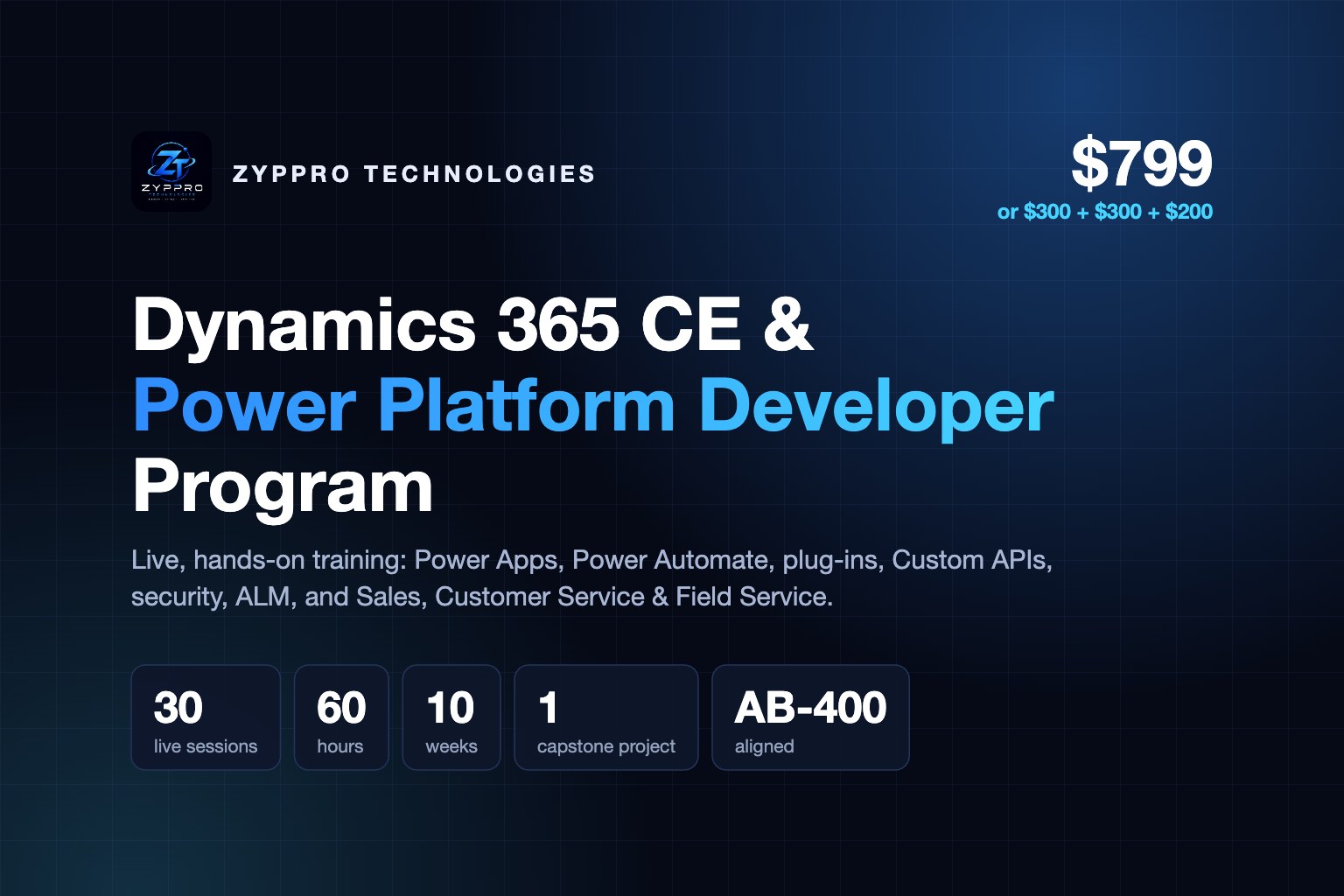
A 10-week, live instructor-led program (30 sessions × 2 hours) that takes you from Dataverse fundamentals to professional Dynamics 365 CE development. Build model-driven and canvas apps, Power Automate flows, JavaScript, PCF, plug-ins and Custom APIs, deploy with solutions and CI/CD pipelines, and extend Dynamics 365 Sales, Customer Service and Field Service while building one portfolio-ready capstone project. Fee: $799 in full, or 3 instalments of $300, $300 and $200.
Course Content
You will learn the way real Dynamics 365 projects are delivered: model-driven and canvas apps, Power Automate, security, JavaScript, PCF, plug-ins, Custom APIs, the Dataverse Web API, solutions and CI/CD pipelines, plus hands-on work in Dynamics 365 Sales, Customer Service and Field Service.
PROGRAM AT A GLANCE
• 30 live sessions × 2 hours = 60 hours of training
• 10 weeks · 3 sessions per week (weekend and fast-track batches on request)
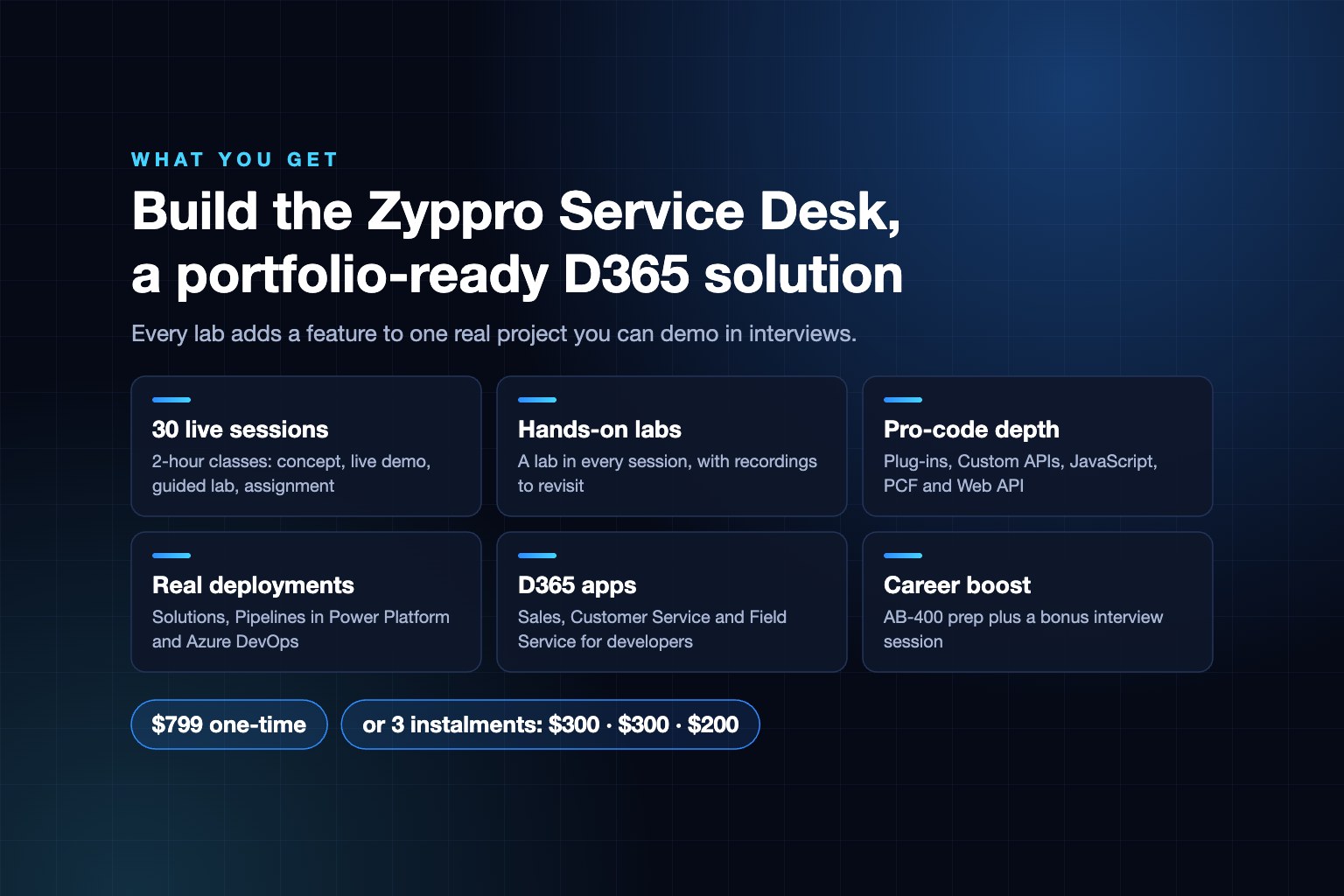
• A hands-on lab in every session, with recordings
• One capstone project: the Zyppro Service Desk
• Aligned to Microsoft exam AB-400 (Power Platform Developer Associate)
• Bonus session: certification and interview preparation
FEES
• Full payment: $799 USD
• Instalment plan: 3 payments – $300, then $300, then $200 USD
EACH 2-HOUR SESSION
• 15 min – recap and doubt clearing
• 50 min – concept and live demo
• 45 min – guided hands-on lab
• 10 min – assignment and Q&A
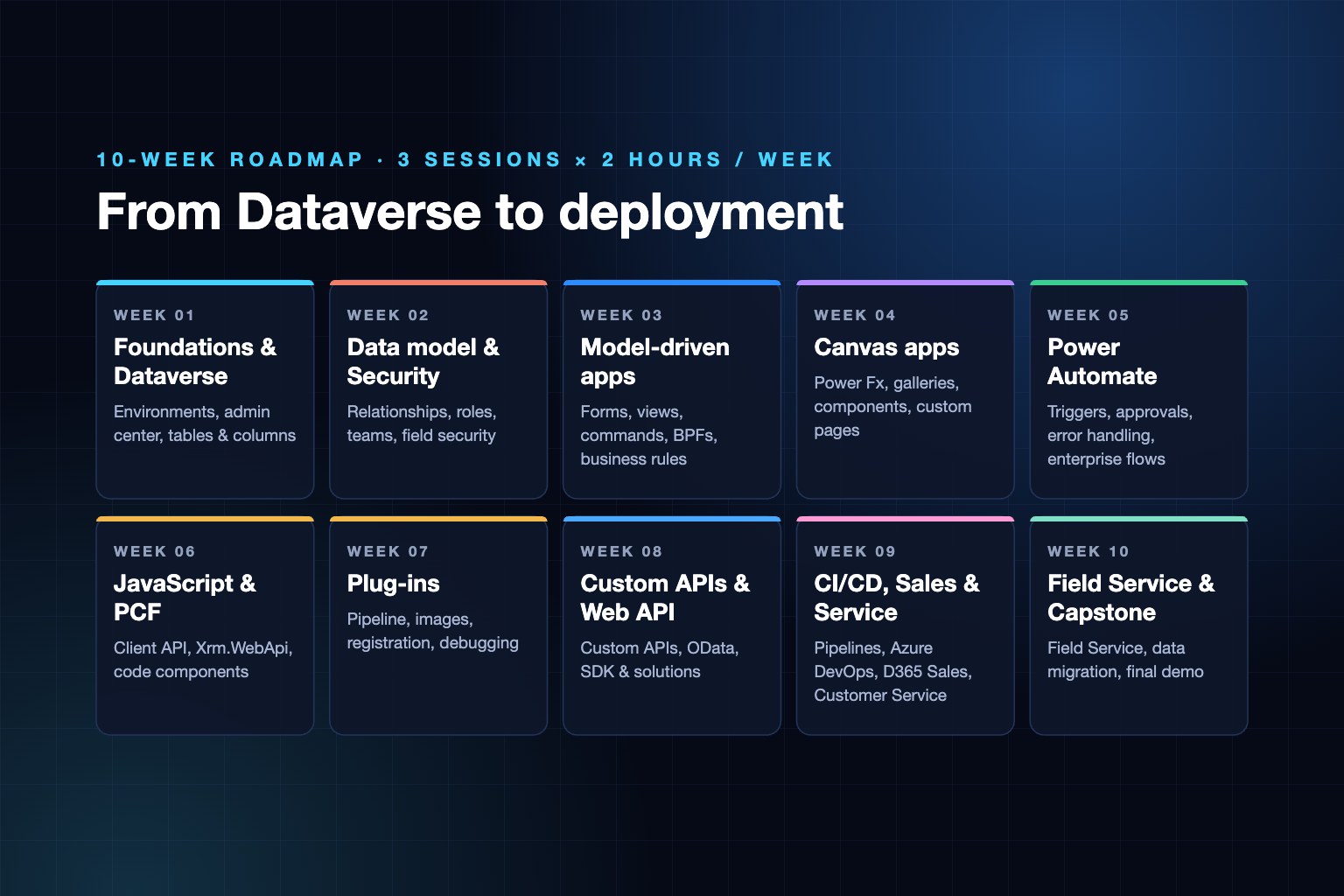
WEEK-BY-WEEK SYLLABUS
WEEK 1: FOUNDATIONS & DATAVERSE
Session 1: Welcome & the Dynamics 365 / Power Platform landscape
• CE apps vs Finance & Operations vs Business Central
• Power Apps, Power Automate, Power Pages, Copilot Studio and Dataverse: how they fit
• SaaS model, release waves and what changed from on-premises
• The D365 developer role, career map and licensing at a glance
Lab: Sign up for the Power Apps Developer Plan and a Dynamics 365 trial; tour the maker portal
Session 2: Environments & administration
• Power Platform admin center walkthrough
• Environment types: Developer, Sandbox, Production, Trial
• Dev → Test → UAT → Prod strategy; backup, restore and copy
• Managed Environments and data (DLP) policies
• Microsoft Entra ID: users, groups and app registration basics
Lab: Create Dev and Test environments; add a user and assign a role
Session 3: Dataverse data model I
• Tables: standard, activity, virtual and elastic
• Columns and data types; choices; autonumber
• Calculated, rollup and Power Fx formula columns
• Entity → Table terminology changes
Lab: Create the Service Desk tables: Ticket, Asset and Site
WEEK 2: DATAVERSE DATA MODEL & SECURITY
Session 4: Dataverse data model II
• 1:N, N:1 and N:N relationships; cascade behaviours
• Column mappings and alternate keys
• Auditing, duplicate detection and change tracking
• Dataverse search
Lab: Relate Ticket, Account and Asset; add an alternate key and turn on auditing
Session 5: Security model I
• Business units and the modern (matrix) BU model
• Security roles, privileges and access levels
• Owner teams, access teams and Entra group teams
• User vs team ownership
Lab: Design roles for Agent, Supervisor and Service Manager
Session 6: Security model II
• Record sharing and assignment
• Hierarchy security: manager and position
• Column-level (field) security profiles
• Troubleshooting with Check access
Lab: Hide the Cost column from agents and test as each persona
WEEK 3: MODEL-DRIVEN APPS
Session 7: Model-driven apps I
• Modern app designer and site map
• Main, quick create, quick view and card forms
• Sub-grids, related tabs and form components
• Editable grids
Lab: Build the Service Desk model-driven app
Session 8: Model-driven apps II
• System and personal views, charts and interactive dashboards
• Command designer with Power Fx (replaces Ribbon Workbench)
• Custom pages
• Copilot in model-driven apps
Lab: Add an Escalate button and an agent dashboard
Session 9: Business logic without code
• Business rules: scope, conditions and actions
• Business process flows: stages, branching, multi-table
• Low-code plug-ins (awareness) and classic workflow status
• Choosing the right tool: rule, script, plug-in or flow
Lab: Ticket triage business process flow with branching
WEEK 4: CANVAS APPS
Session 10: Canvas apps I
• Canvas studio: screens and controls
• Power Fx essentials: Filter, LookUp, Patch, If, Navigate
• Dataverse as a data source; variables and collections
• Copilot-assisted app creation
Lab: Field technician mobile app: ticket list and detail screens
Session 11: Canvas apps II
• Galleries, edit forms and validation
• Delegation and performance
• Components and component libraries
• Responsive layout containers; offline (overview)
Lab: Add photo capture and customer sign-off to the technician app
Session 12: Canvas apps III
• Embedding a canvas page in a model-driven app
• Calling cloud flows from canvas apps
• Named formulas, App.OnStart vs StartScreen
• Monitor, Test Studio and sharing
• Power Apps code apps (awareness, AB-400)
Lab: Embed the technician page in the Service Desk app
WEEK 5: POWER AUTOMATE
Session 13: Power Automate I
• Automated, instant and scheduled cloud flows
• Dataverse triggers, filter rows and trigger conditions
• Expressions and dynamic content
• Apply to each and concurrency; Copilot in flows
Lab: Auto-assign new tickets and email the customer
Session 14: Power Automate II
• Approvals and Teams adaptive cards
• Outlook and Teams actions
• Error handling: Try / Catch scopes and run-after
• Retry policies, child flows and HTTP actions
Lab: Escalation approval in Teams with error handling
Session 15: Power Automate III: enterprise flows
• Connection references and environment variables
• Service principal (application user) connections
• Solution-aware flows; desktop flows and RPA (overview)
• Converting classic workflows to cloud flows
• Flow monitoring and analytics
Lab: Move all flows into a solution with environment variables
WEEK 6: CLIENT SCRIPTING (JAVASCRIPT) & PCF
Session 16: Client scripting I (JavaScript)
• Web resources and form libraries
• executionContext and formContext
• OnLoad, OnChange and OnSave events
• Field, control, tab and section handling; form notifications
Lab: Validate the SLA date and show or hide sections by ticket type
Session 17: Client scripting II
• Xrm.WebApi CRUD from forms
• Xrm.Navigation: dialogs, side panes and opening records
• Command JavaScript and enable rules
• TypeScript with @types/xrm; debugging in DevTools
Lab: Create Work Order from Ticket button
Session 18: PCF code components
• PCF architecture and lifecycle: init, updateView, getOutputs, destroy
• Control manifest and properties
• pac pcf init, build and push; React (virtual) controls
• Packaging components in solutions
Lab: Star-rating control for customer satisfaction
WEEK 7: PLUG-INS
Session 19: Plug-ins I
• Event execution pipeline: PreValidation, PreOperation, PostOperation
• IPlugin, IPluginExecutionContext and IOrganizationService
• Target, InputParameters and InvalidPluginExecutionException
• Visual Studio project setup and strong naming
Lab: Duplicate-ticket check plug-in
Session 20: Plug-ins II
• Pre and post entity images; shared variables
• Synchronous vs asynchronous; depth and loop protection
• Plug-in Registration Tool and pac plugin init
• Plug-in packages and dependent assemblies
Lab: Async post-operation plug-in that updates asset history
Session 21: Plug-ins III: debugging & best practice
• Plug-in Profiler and replay debugging
• Tracing service and plug-in trace log
• Application Insights telemetry
• Sandbox limits (2-minute timeout, no file access) and performance
• Unit testing with FakeXrmEasy
Lab: Debug a failing plug-in end to end
WEEK 8: CUSTOM APIS, WEB API & SOLUTIONS
Session 22: Custom actions → Custom APIs
• Classic custom actions vs Custom APIs
• Request and response parameters; bound vs unbound; function vs action
• Implementing a Custom API with a plug-in
• Calling it from JavaScript, Power Automate and the Web API
• Dataverse business events
Lab: CalculateSLA Custom API called from the form and a flow
Session 23: Dataverse Web API & SDK
• OData v4: CRUD, $select, $filter, $expand; FetchXML
• Dataverse SDK for .NET with ServiceClient
• App registration, OAuth and application users
• CreateMultiple / UpdateMultiple and Upsert with alternate keys
• Service protection limits and retry
Lab: Postman collection plus a console app that syncs customers
Session 24: Solutions
• Publishers and prefixes
• Managed vs unmanaged; solution layers and the active layer
• Dependencies, patches, clones and upgrades
• Segmented solutions and environment variables
Lab: Split the Service Desk into core and app solutions
WEEK 9: CI/CD DEPLOYMENT, D365 SALES & CUSTOMER SERVICE
Session 25: Solution deployment & CI/CD
• Pipelines in Power Platform
• Azure DevOps / GitHub with Power Platform Build Tools
• pac solution export, unpack and pack; source control
• Solution checker and deployment settings files
• Configuration Migration Tool for reference data
Lab: Dev → Test pipeline in Azure DevOps
Session 26: Dynamics 365 Sales
• Lead → opportunity → quote → order → invoice
• Product catalog, price lists and the sales process BPF
• Copilot in Dynamics 365 Sales
• Developer extension points: quote plug-ins and custom pricing
Lab: Customise opportunity close with a plug-in
Session 27: Dynamics 365 Customer Service
• Cases, queues and unified routing
• SLAs and entitlements
• Knowledge management
• Customer Service workspace, Omnichannel and Copilot (overview)
Lab: SLA with warning and failure actions plus queue routing
WEEK 10: FIELD SERVICE, DATA MIGRATION & CAPSTONE
Session 28: Dynamics 365 Field Service
• Work orders, incident types and service tasks
• Bookable resources and the schedule board
• Customer assets, agreements and inventory
• Field Service mobile app
Lab: Convert a case into a work order and booking
Session 29: Data migration & monitoring
• Import wizard and data templates
• Configuration Migration Tool vs dataflows
• XrmToolBox: FetchXML Builder, Bulk Data Updater, Plugin Trace Viewer
• Monitor tool and a troubleshooting checklist for scripts, plug-ins and flows
Lab: Migrate legacy CSV data using alternate keys
Session 30: Capstone build & demo
• Finish the Zyppro Service Desk end to end
• Peer code review
• Deploy to Test through the pipeline
• Present a 10-minute demo to the panel
Lab: Capstone demo
BONUS SESSION: CERTIFICATION & INTERVIEW PREPARATION
• AB-400 skill areas and study plan
• Top interview questions: plug-ins, JavaScript, security, ALM
• Resume and LinkedIn for D365 roles
• Contract and freelance market; next step to solution architect
CAPSTONE PROJECT: ZYPPRO SERVICE DESK
You build one realistic CRM solution across the course: data model, secured roles, an agent app, a technician canvas app, automated flows, plug-ins, a Custom API, an automated deployment pipeline and Dynamics 365 Sales, Customer Service and Field Service extensions. It ends with a live demo you can show in interviews.
PREREQUISITES
Basic C# and JavaScript. Any CRM or database experience helps but is not required.
What You'll Learn
-
Set up Power Platform environments and design Dataverse data models
-
Implement the Dynamics 365 security model: business units, roles, teams and field security
-
Build model-driven apps with forms, views, dashboards, command buttons and business process flows
-
Create canvas apps with Power Fx, components and custom pages embedded in model-driven apps
-
Automate business processes with Power Automate approvals, error handling and enterprise-ready flows
-
Write client-side JavaScript with the Client API and Xrm.WebApi
-
Build PCF code components
-
Develop, register and debug Dataverse plug-ins
-
Replace classic custom actions with Custom APIs
-
Integrate with the Dataverse Web API and the .NET SDK
-
Package solutions and deploy with Pipelines in Power Platform and Azure DevOps
-
Extend Dynamics 365 Sales, Customer Service and Field Service as a developer
-
Migrate data and troubleshoot with XrmToolBox, the Monitor tool and plug-in trace logs
-
Deliver a portfolio-ready capstone: the Zyppro Service Desk
-
Prepare for Microsoft exam AB-400 and D365 developer interviews
Who This is For
• .NET and JavaScript developers moving into Dynamics 365 CE • Power Platform makers who want to learn pro-code development • Dynamics 365 functional consultants going technical • CRM developers upgrading from on-premises to the cloud • Freshers and graduates with basic C# or JavaScript knowledge • Freelancers who want to take on Dynamics 365 contract work • Professionals preparing for the AB-400 Power Platform Developer exam
Course Details
Have questions? Our team is ready to help you choose the right path for your goals.