Power Apps Code Apps: Build React Apps on Power Platform (Complete Guide)
How Power Apps code apps work, how to build and publish one with React and TypeScript, and the licensing, limits and best practices to know.
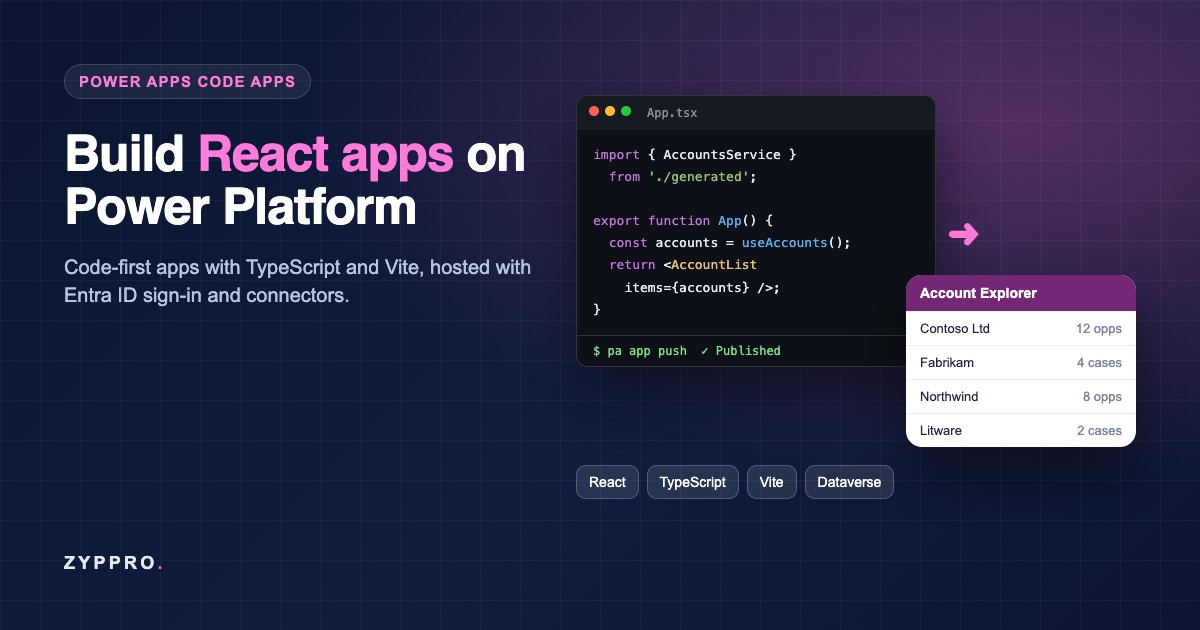
For years, professional developers faced a choice on the Power Platform: accept the limits of canvas and model-driven apps, or build a custom web app outside the platform and handle hosting, authentication and governance themselves. Power Apps code apps remove that trade-off.
Code apps became generally available on 5 February 2026. They let you build a single-page application with standard web tools, such as React, TypeScript and Vite, and run it inside Power Platform with Microsoft Entra ID sign-in, connectors, Dataverse and admin governance built in.
This guide explains what code apps are, how they work, how to build and publish one, and the limitations and best practices you need to know before using them in production.
What are Power Apps code apps?
Code apps are the third app type in Power Apps, alongside canvas apps and model-driven apps. Instead of designing screens in Power Apps Studio, you write a normal web application in your own code editor, such as Visual Studio Code, and push the built output to Power Platform.
In practice, a code app is:
- a single-page application (SPA) built with a modern framework (Microsoft's templates use React with TypeScript and Vite)
- hosted by Power Platform, so you don't manage web servers or app services
- signed in through Microsoft Entra ID, so you write no login code
- connected to data through Power Platform connectors, including Dataverse, SharePoint, Office 365 Users, SQL Server and many more
- governed like other Power Apps: sharing, data loss prevention (DLP) policies, environments and solutions
Think of it as your web app, with the Power Platform around it.
Why code apps matter
For professional developers
- Use the frameworks, libraries and component systems you already know.
- Work in Git, write unit tests and use code review like any other project.
- Build complex UI, such as data-dense grids, drag-and-drop boards or charts, that would be hard in canvas apps.
For organisations
- Custom apps stay inside the governed Power Platform instead of becoming shadow IT.
- Identity, connectors and DLP policies apply automatically.
- IT can see, share and manage code apps like other apps.
For Dynamics 365 teams
- Build rich front ends over Dataverse data without building a separate API layer or authentication flow.
- Reuse existing connectors to Dynamics 365, SharePoint and Microsoft 365.
How code apps work: the architecture
Understanding the architecture helps avoid surprises later.
- The player. Users open the app through the Power Apps player. The player signs them in with Microsoft Entra ID and loads your app in a sandboxed iframe on a separate Power Platform user-content domain.
- Your bundle. Your built HTML, JavaScript and CSS are uploaded to Power Platform and served from there.
- The client library. Your code uses Microsoft's Power Apps client library (
@microsoft/power-apps). When your app requests data, the library passes the request to the player, which calls the connector using the signed-in user's identity. - Generated services. When you add a data source, the CLI generates TypeScript models and services (in a
generatedfolder) so you get typed methods such as create, get, update and delete for that source. - Content Security Policy. By default, code apps cannot call arbitrary URLs directly. Data access goes through connectors. Admins can allow extra domains if needed.
This design means you never handle access tokens in your code, and every data call respects the user's own permissions.
Prerequisites
Before you start, make sure you have:
- Node.js (a current LTS version; recent guides recommend Node 22 or later)
- Visual Studio Code or another editor
- A Power Platform environment where an admin has turned on code apps. In the Power Platform admin center, open the environment, go to Settings → Product → Features, and enable code apps. Use a developer or sandbox environment for learning, not the default environment.
- The Power Apps CLI. Microsoft is moving code app commands from the
pac codecommands in the Power Platform CLI to a dedicated npm package,@microsoft/power-apps-cli, whose command ispa. Check Microsoft Learn for the current recommended commands, because this tooling is evolving quickly. - Licences. Every user who runs a code app needs a Power Apps premium entitlement (per-user licence, pay-as-you-go, or another qualifying plan). Microsoft 365 licences alone are not enough, even if the app only uses standard connectors.
Step-by-step: build your first code app
The steps below follow the current npm-based workflow. Command names may change, so always compare with the latest Microsoft documentation.
Step 1: Install the CLI and create a project
npm install --global @microsoft/power-apps-cli
npx degit github:microsoft/PowerAppsCodeApps/templates/vite my-app
cd my-app
npm install
The template gives you a React + TypeScript + Vite project with Microsoft's Vite plugin already configured.
Step 2: Initialise the app for your environment
pa app init --display-name "Customer Portal" --environment-id <your-environment-id>
This creates a power.config.json file that links the project to your environment and records data source references.
Step 3: Run locally
pa app run
Open the local play URL in a browser profile that is signed in to your work tenant. Your local code runs inside the real Power Apps player, so authentication and connectors behave as they will in production.
Step 4: Add data sources
Dataverse table:
pa app add data-source --connector dataverse --table account
A connector such as Office 365 Users:
pa connection create --connector shared_office365users
pa app add data-source --connector shared_office365users --connection-id <connection-id>
The CLI generates typed models and services. In your React code you call these services instead of writing HTTP requests, for example retrieving accounts and binding them to a table component.
Step 5: Build and publish
npm run build
pa app push
To place the app in a specific solution for ALM, push with the solution ID. After publishing, the app appears in Power Apps alongside your other apps.
Step 6: Share
Share the app with users or security groups, just like a canvas app. Remember that sharing does not grant data access: users also need Dataverse security roles, SharePoint permissions and connection consent.
Example: a Dynamics 365 account explorer
A common first project is a custom front end for Dynamics 365 data:
- Left panel: a searchable list of accounts loaded from the Dataverse
accounttable. - Main panel: account details, open opportunities and recent cases, shown with a modern component library.
- Actions: buttons that update the account or create a follow-up task, using the generated Dataverse services.
- Security: each user only sees records allowed by their Dynamics 365 security role, without any extra code.
This kind of app would be difficult to make fast and polished in a canvas app, and a lot of work to secure as a standalone web app. In a code app, it is mainly front-end work.
Suggested project structure
my-app/
  src/
    generated/        # created by the CLI, don't edit
    components/       # React components (AccountList, AccountDetails)
    hooks/            # data hooks that call generated services
    pages/            # screens and routing
    App.tsx
  power.config.json   # environment-specific, keep out of Git
  vite.config.ts
  package.json
Wrapping generated services in your own hooks (for example useAccounts()) keeps components clean and makes testing easier.
Code apps vs canvas vs model-driven vs PCF
| Canvas app | Model-driven app | PCF component | Code app | |
|---|---|---|---|---|
| Built in | Power Apps Studio | App designer | Code editor | Code editor |
| Language | Power Fx | Configuration + JS | TypeScript | TypeScript/JavaScript |
| Scope | Whole app | Whole app | One control inside an app | Whole app |
| UI freedom | High | Standardised | High (within a control) | Full |
| Best for | Makers, mobile, quick apps | Data-heavy processes | Custom controls | Pro-dev, complex UI |
| Source control | Limited | Solutions | Git | Git |
Rule of thumb: if your team writes React and needs a complex, custom experience, consider a code app. If makers will maintain the app, stay with canvas or model-driven apps.
Limitations to know (as of late 2026)
Code apps are powerful but still maturing. Before committing, check these points against the latest documentation:
- Premium licensing is required for every user.
- Power Apps for Windows and SharePoint forms are not supported.
- Offline support is not documented for code apps.
- Dataverse gaps: some features, such as FetchXML queries, polymorphic lookups and alternate keys, are not supported through the code app data layer.
- Some connectors, such as Excel Online, are not supported.
- No direct external API calls by default because of the Content Security Policy; use connectors or ask admins to allow domains.
- Environment variables and Power Platform Git integration have had limited or no support; keep your source in your own Git repository.
- The published bundle is downloadable by anyone who has its URL, so never put secrets in front-end code.
- No server-side rendering: use client-side routing.
Common problems and fixes
"Code apps are not enabled in this environment." An admin must turn on code apps in the environment's feature settings in the Power Platform admin center.
The local app opens but shows sign-in or permission errors. Open the local play URL in the same browser profile that is signed in to your work tenant, and allow any local network access prompt.
A fetch to an external API is blocked. The default Content Security Policy blocks direct calls. Use a connector or custom connector, or ask an admin to allow the domain.
Users can open the app but see no data. Check their Dataverse security roles, SharePoint permissions, connection consent and premium licence.
The app works in dev but not after import to test. Check connection references and data source configuration in the target environment, and review Microsoft's known issues for code apps in solutions.
Best practices
- Keep secrets out of the bundle. Use connectors, custom APIs or Azure services with proper authentication for anything sensitive.
- Treat generated code as read-only. Regenerate services when data sources change instead of editing them.
- Keep
power.config.jsonenvironment-specific. Many teams exclude it from Git and recreate it per environment. - Design for security roles. Test with real user accounts that have only the licences and roles your users have.
- Use solutions for ALM. Push into a solution and promote it through test and production.
- Monitor. Add Application Insights for telemetry and error tracking.
- Start small. Build one focused app first, learn the limits, then scale.
Frequently asked questions
Can I use Vue or Angular instead of React? Code apps are framework-agnostic single-page apps, and community guides show other frameworks. Microsoft's official templates use React and Vite, which is the best-supported path.
Can I embed a code app inside a model-driven app? Code apps are standalone apps. Embedding is limited (for example as an iframe within the same tenant), so plan them as separate apps.
Do code apps replace PCF controls? No. PCF is for custom controls inside canvas and model-driven apps; code apps are complete applications.
Can citizen developers edit a code app? Not in Power Apps Studio. Code apps are maintained in code, so plan for developer ownership.
Is a code app right for your project?
Choose a code app when:
- your team has strong front-end skills (React, TypeScript)
- the UI is complex or highly branded
- you want Power Platform security and governance without building your own hosting and authentication
Choose canvas or model-driven apps when:
- citizen developers or functional consultants will maintain the app
- standard forms and views are enough
- offline use or Power Apps for Windows is required
How Zyppro can help
Zyppro Technologies builds code apps, canvas apps, model-driven apps and PCF components on Dataverse and Dynamics 365. Our developers combine React and TypeScript skills with deep Power Platform experience, from architecture and security to ALM and deployment. We work remotely or onsite and deliver anywhere in the world.
Want to explore code apps for your organisation? Visit www.zyppro.com or email contact@zyppro.com.