Copilot Studio in 2026: Computer Use, Workflows, MCP and Agent Skills
A practical tour of Copilot Studio in 2026: computer-using agents, workflows, MCP servers, agent skills, the Copilot harness and governance.
Copilot Studio has changed more in 2026 than in any year since it replaced Power Virtual Agents. What started as a tool for building chatbots is now Microsoft's platform for AI agents that reason, use tools, operate applications and run multi-step business workflows.
If you built a Copilot Studio agent a year ago, much of what you know still applies, but the options for building powerful, governed agents have grown dramatically. This guide walks through the most important changes, explains when to use each capability, and shows how they come together in real business scenarios.
Copilot Studio evolves monthly and several features are in preview. Always check Microsoft's "What's new in Copilot Studio" page for current status in your region.
1. Computer-using agents (generally available since May 2026)
Many business processes involve systems with no API: legacy desktop applications, supplier portals, government websites or old internal web apps. Until recently, automating them required robotic process automation (RPA) scripts that broke whenever the screen changed.
Computer use lets Copilot Studio agents interact with websites and desktop applications through the user interface, by seeing the screen and clicking, typing and navigating like a person.
When to use it
- Entering data into a supplier or tax portal without an API
- Copying information from a legacy desktop app into Dynamics 365
- Checking order status on partner websites
How it fits
Computer use is added to an agent as a tool, and it can also be embedded as a step inside workflows. Microsoft has added governance, model selection and observability around it, and the Windows 365 for Agents MCP server lets agents work with apps on a Cloud PC.
Good practice
- Prefer APIs and connectors when they exist; use computer use when they don't.
- Run computer-use tasks in controlled environments (such as Cloud PCs) with dedicated accounts.
- Keep a human in the loop for actions that submit data or payments.
2. The new workflow designer
Agents are great at reasoning, but some processes must be deterministic: always the same steps, in the same order, with the same approvals. Copilot Studio's redesigned workflow designer (generally available from August 2026) handles these.
Workflows can include:
- connectors and Dataverse actions
- approvals and conditions
- AI steps, such as an Extract node that pulls named values and tables from invoices, contracts or financial statements
- computer-use steps
- a Copilot node (preview) that runs Copilot tasks grounded in the user's Microsoft 365 data
Agents can call workflows as tools. Think of it this way: the agent decides what needs doing; the workflow guarantees how it's done.
3. MCP servers as tools
The Model Context Protocol (MCP) is an open standard that lets AI agents connect to tools and data sources in a consistent way. Copilot Studio supports MCP servers as tools, which means an agent can use everything an MCP server exposes without one-off integrations.
Examples:
- the Dataverse MCP server for querying and updating Dynamics 365 and Dataverse data under the user's permissions
- partner or custom MCP servers for line-of-business systems
- Microsoft's certified MCP servers programme, which signals a server was evaluated for reliability, security and compliance
In late 2026, Microsoft also previewed MCP and Agent2Agent (A2A) channels, so your Copilot Studio agent can itself be called as an MCP server or A2A agent by other tools and orchestrators, secured with Microsoft Entra ID.
4. Agent skills
Skills package instructions into modular, reusable capabilities. Instead of repeating the same long instructions in every agent ("how to write a customer email in our tone", "how to calculate shipping charges"), you create a skill once and add it to many agents.
- Skills can be written in Copilot Studio or uploaded.
- They can be shared with teammates, and Microsoft is adding a marketplace experience for shared skills (preview).
- When agents are upgraded to the new harness, some topics can be rebuilt as skills or workflows.
Tip: treat skills like code libraries: name them clearly, version them, and keep them focused on one job.
5. The Microsoft Copilot harness
In August 2026 Microsoft made the GitHub Copilot harness generally available in Copilot Studio, later renamed the Microsoft Copilot harness. It sits between the AI model and the agent and decides when to call the model, what context to provide, and which tools, MCP servers or connected agents to use.
What this means in practice:
- agents can plan and adapt their approach to reach a goal rather than follow a rigid script
- agents can create and edit Word, Excel, PowerPoint and PDF files
- tasks run in a sandbox governed by Copilot Studio
- you can choose models for harness agents, including experimental ones for testing
Existing agents can be upgraded from the standard harness, with a migration report showing what moved over, what needs attention and what was skipped. Harness agents and workflows are billed in Copilot Credits.
6. Richer knowledge and context
Agents are only as good as the information they can reach. New and expanded knowledge sources include:
- Dataverse tables as knowledge, with reasoning over text and file columns (some in preview)
- Azure SQL tables
- OneDrive for Business, respecting Microsoft Purview sensitivity labels
- Microsoft Fabric business data (Fabric IQ, preview)
- Work IQ for grounding in Microsoft 365 organisational context
- Memory (preview), so an agent can remember relevant preferences from earlier conversations with a user
Admins can now control which knowledge sources makers may add, such as local uploads, SharePoint/OneDrive or public websites.
7. Autonomous triggers and agent identities
Agents no longer need someone to start a conversation:
- Autonomous triggers (preview) start an agent when an event occurs, such as a new SharePoint item, an incoming email or a schedule.
- Every new agent receives a Microsoft Entra Agent ID, so it can be governed like other identities.
- Dedicated agent accounts (preview) give an agent its own mailbox and Teams presence.
- Microsoft Agent 365 onboarding provides centralised governance, Conditional Access and observability.
These features make agents behave more like digital colleagues, and make governance essential.
8. Connected and multi-agent solutions
Large solutions rarely fit in one agent. Connected agents let a primary agent act as the front door and delegate to specialist agents: one for HR policy, one for IT tickets, one for finance queries. Copilot Studio now supports connecting to agents built with Microsoft Foundry and the Microsoft 365 Agents SDK, with A2A agents in preview.
Choosing the right building block
With so many options, a common question is which feature should I use for this requirement? This quick guide helps:
| Requirement | Best building block |
|---|---|
| Answer questions from policies, manuals or FAQs | Knowledge sources |
| Always follow the same approval steps | Workflow |
| Read or update Dynamics 365 / Dataverse data | Dataverse connector or Dataverse MCP server |
| Work with a system that has no API | Computer use |
| Reuse the same instructions in many agents | Agent skill |
| Split a large domain into specialist areas | Connected agents |
| Start work without a user message | Autonomous trigger |
| Let other tools call your agent | MCP or A2A channel (preview) |
A good design usually combines several: knowledge for answers, workflows for reliable processes, and tools for actions.
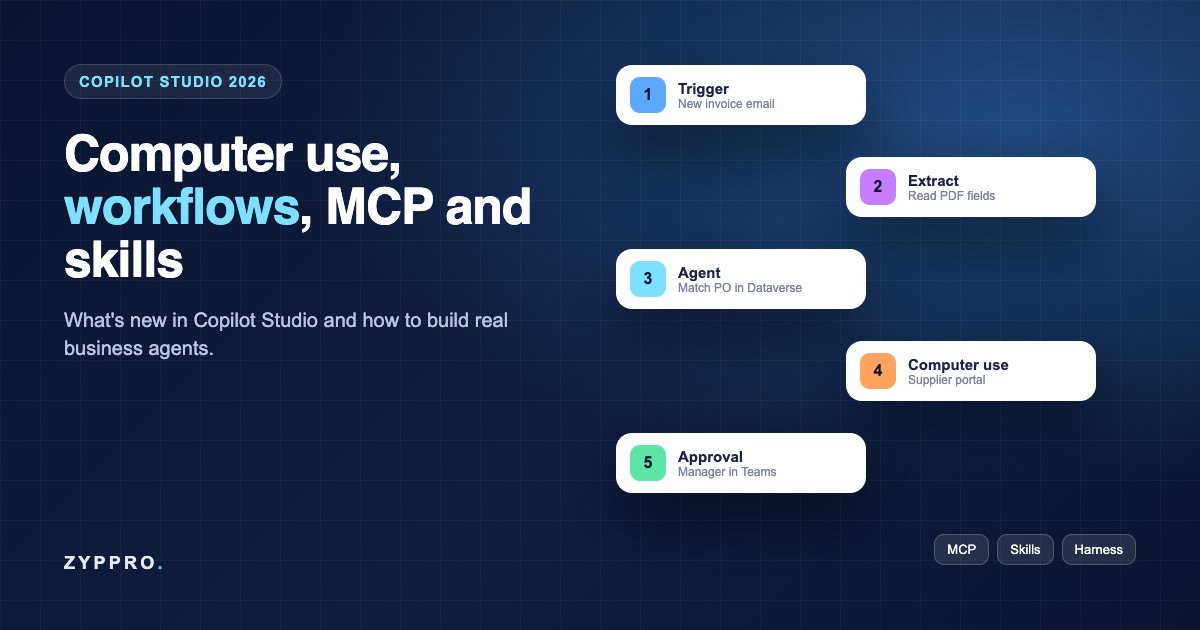
Putting it together: an accounts payable example
A finance team receives hundreds of supplier invoices by email each week.
- Autonomous trigger: a new email with an attachment starts the agent.
- Extract node in a workflow: pulls supplier, invoice number, amounts and line items from the PDF.
- Dataverse MCP / connector: checks the supplier and purchase order in Dynamics 365.
- Agent reasoning: if amounts match, it proceeds; if not, it drafts a query to the supplier and creates a task for the AP clerk.
- Computer use: for one supplier with no API, the agent downloads the remittance status from their portal.
- Approval workflow: invoices over a threshold go to a manager in Teams.
- Governance: the agent runs with its own Entra Agent ID, DLP policies restrict connectors, and analytics track volumes and Copilot Credit usage.
What once required an RPA team, an integration team and a chatbot team can now be designed in one platform.
Governance checklist for 2026 agents
- Use managed environments and DLP policies for agent connectors and MCP servers.
- Decide which knowledge sources makers can use.
- Give agents least-privilege identities and review their access.
- Require human approval for financial, legal or destructive actions.
- Monitor Copilot Credit consumption and set budgets.
- Test agents with evaluation sets, including content-safety tests.
- Keep audit logs and review agent activity regularly.
Frequently asked questions
Do I need to rebuild my existing agents? No. Existing agents keep working. You can upgrade them to the Microsoft Copilot harness when you want its reasoning and file capabilities, and review the migration report before going live.
Is computer use a replacement for Power Automate desktop flows? Not entirely. Computer use is better when screens change or tasks need judgement; scripted desktop flows can still suit stable, high-volume tasks. Many organisations use both.
How is Copilot Studio billed? Agents, workflows and apps on the new harness consume Copilot Credits, which can be bought through pay-as-you-go or prepaid plans. Track usage in the Power Platform admin center and set budgets early.
Can agents access data users aren't allowed to see? Agents using delegated access, such as the Dataverse MCP server, work under the user's permissions. Agents with their own identity only see what that identity is granted, so apply least privilege.
Which features are still in preview? Several, including connected agents, memory, autonomous triggers, MCP and A2A channels and dedicated agent accounts. Avoid relying on preview features for critical production processes.
Where to start
- Pick one process with clear value and manageable risk, such as IT FAQ, order status or invoice intake.
- Start with knowledge plus one or two tools, then add workflows.
- Measure results: resolution rate, time saved and user satisfaction.
- Scale with skills and connected agents once the basics work.
How Zyppro can help
Zyppro Technologies designs and builds Copilot Studio agents and workflows connected to Dynamics 365, Dataverse, SharePoint and line-of-business systems, including MCP integrations and governance. From proof of concept to production, we help organisations adopt AI agents safely. We deliver anywhere in the world.
Visit www.zyppro.com or email contact@zyppro.com to plan your first agent.