Copilot Studio for Business: Build Your First AI Agent the Right Way
What Microsoft Copilot Studio does, the best first use cases, and how to build, ground and deploy a business AI agent safely.
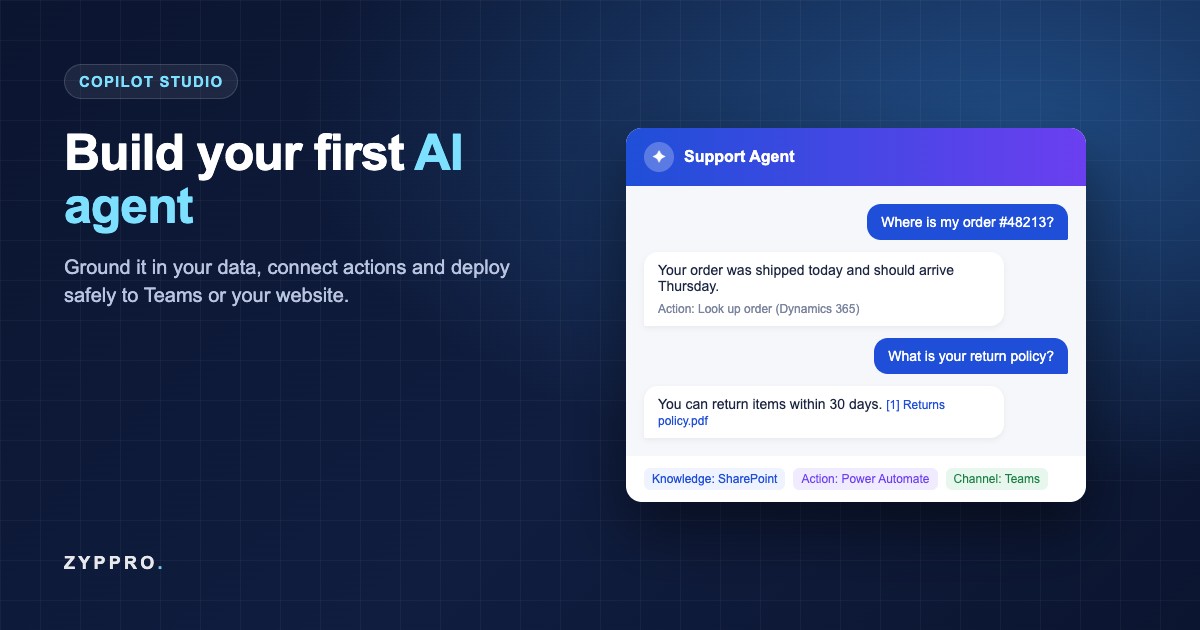
Every organisation wants "an AI assistant". Far fewer know where to start, what it should do, or how to stop it giving wrong answers. Microsoft Copilot Studio gives businesses a low-code way to build AI agents that answer questions, take actions and connect to company systems, all inside the Microsoft ecosystem they already use.
This guide explains what Copilot Studio is, which use cases work best first, and how to build an agent that is useful and safe.
What is Copilot Studio?
Copilot Studio is Microsoft's platform for building custom AI agents. It grew out of Power Virtual Agents and is part of the Power Platform. With it you can:
- Answer questions from your own content: websites, SharePoint sites, uploaded documents and Dataverse.
- Design guided conversations (topics) for processes that must follow exact steps.
- Take actions: call Power Automate flows, connectors and APIs to create records, look up orders or send notifications.
- Publish to channels such as Microsoft Teams, your website and Microsoft 365 Copilot.
Because it runs on the Power Platform, it inherits Microsoft's identity, data loss prevention (DLP) policies and admin controls.
Note: Microsoft updates Copilot Studio frequently. Check current feature availability and licensing for your region before planning a rollout.
Good first use cases
Start where questions are frequent, answers already exist in documents, and mistakes are low risk:
- Internal IT and HR helpdesk: "How do I reset my VPN?", "How many leave days do I have?", "Where is the travel policy?"
- Customer FAQ on your website: product information, delivery times, opening hours, how to raise a support ticket.
- Sales enablement: product specs, pricing rules and case studies for sales teams, surfaced in Teams.
- Order or case status: the agent calls a flow that looks up the record in Dynamics 365 and returns the status.
- Employee onboarding: a single place for new joiners to ask about systems, policies and contacts.
Avoid starting with high-risk decisions such as financial approvals or legal advice.
Building your first agent: step by step
1. Define the job
Write one sentence: "This agent helps [who] to [do what] using [which sources]." If you can't write it, the scope is too broad.
2. Prepare the knowledge
The agent is only as good as its sources. Remove outdated documents, fix contradictory policies and organise SharePoint content clearly before you connect it.
3. Add knowledge sources
Connect your public website, a SharePoint site or uploaded files. Copilot Studio uses these to generate answers and can show citations so users can check the source.
4. Add topics for critical paths
For processes that must be exact, such as raising a ticket or collecting contact details, build a topic with defined questions and variables instead of relying on free generation.
5. Connect actions
Use Power Automate flows or connectors to let the agent do things: create a case in Dynamics 365, check stock, book a meeting or post to a Teams channel.
6. Test with real questions
Collect 50 real questions from users and test them. Note where the agent is wrong, vague or too long, then improve the sources or instructions.
7. Publish and monitor
Publish to Teams or your website, then use the built-in analytics to track resolution rate, escalations and unanswered questions.
Keeping your agent safe and accurate
- Ground answers in approved sources and limit general knowledge where accuracy matters.
- Respect permissions: make sure users can only receive information they are allowed to see.
- Apply DLP policies in the Power Platform admin center to control which connectors agents can use.
- Offer a handover to a human for complex or sensitive requests.
- Review conversations regularly and update content as policies change.
Measuring success
Track a few clear numbers: questions answered without escalation, time saved for the helpdesk, user satisfaction and the topics with the most failures. Small, measurable wins build the case for larger AI projects.
How Zyppro can help
Zyppro Technologies designs and builds Copilot Studio agents connected to Dynamics 365, SharePoint, Dataverse and Azure. From use-case workshops to production rollout and governance, our team helps you deploy AI that is accurate, secure and genuinely useful. We work remotely or onsite and deliver anywhere in the world.
Ready to build your first AI agent? Visit www.zyppro.com or email contact@zyppro.com.